

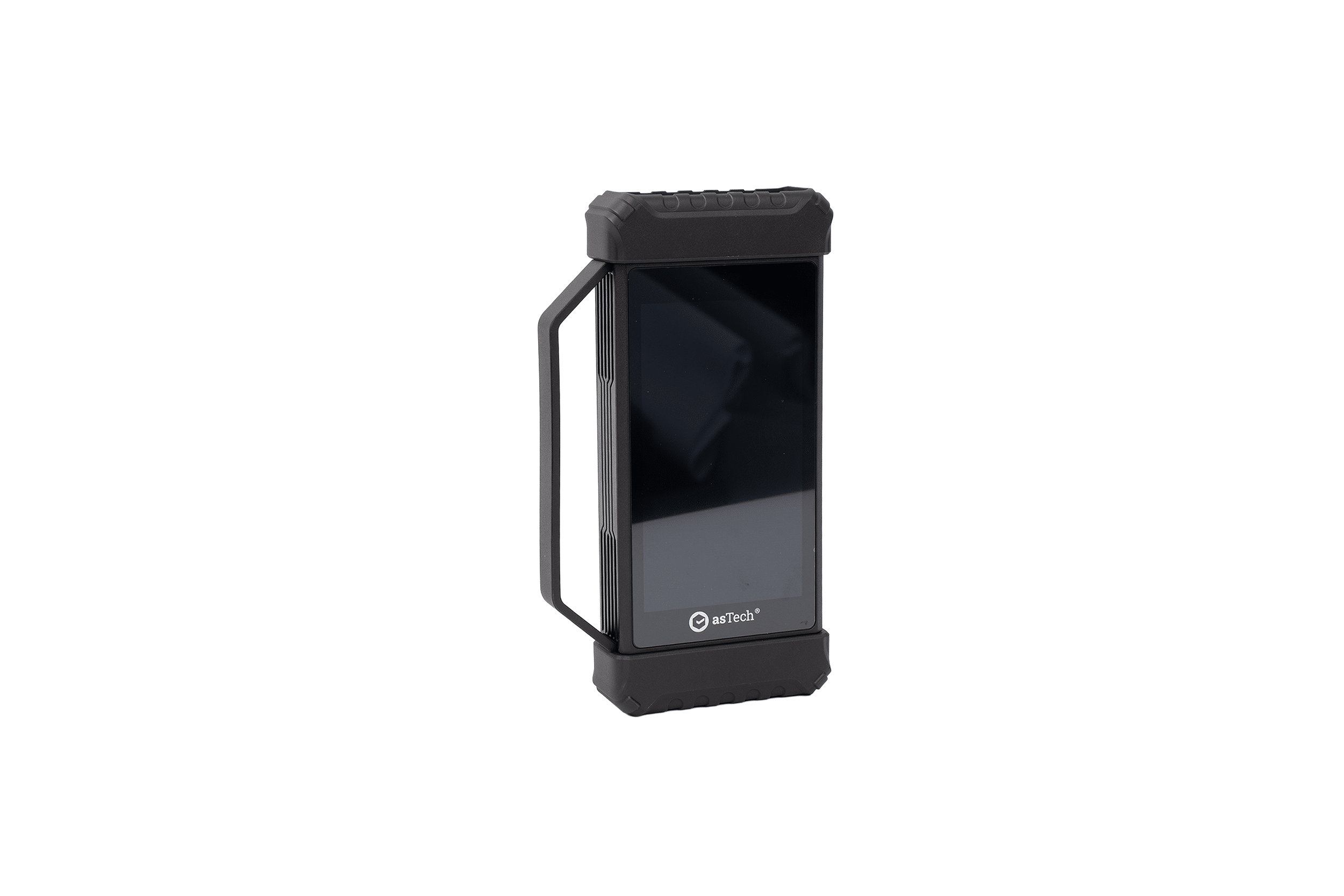
Linking Innovation with Precision
Turn any vehicle into a direct gateway to OEM factory tools. Simply plug in this smart OBDII interface to let live master technicians handle complex diagnostic, coding, and calibration jobs directly on-site.
Request A Quote
Get in touch with our team today to request a tailored, no-obligation quote designed around your workshop’s specific operational requirements.
Book A Demo
See our ADAS calibration tools and remote technology in action to discover how easily they integrate into your daily workshop workflow.
Key Features
Direct Remote OEM Diagnostics
Plug-and-play OBDII interface connecting your workshop directly to Repairify’s master technicians using authentic OEM factory tools for coding and programming.
Broad Vehicle & SGW Coverage
Supports OE-level scanning for 1996+ passenger cars and light commercial vehicles, complete with official Security Gateway access.
Advanced Protocol Compatibility
Fully compatible with modern vehicle architecture protocols, including CAN FD, K-Line, and DoIP Ethernet networks.
Flexible Dual Connectivity
Features dual wireless Bluetooth and high-speed wired USB/Ethernet communication for stable connections during critical module flashes.
Technical Specs
Display |
3.97″ touch screen |
Features |
VCI diagnostic tool |
Connectivity |
Wi-Fi & Bluetooth enabled |
Power |
OBD II extension cable Crossover cable Vehicle’s DLC Power adaptor AC outlet |
Benefits

Affordable OEM Access
Access to OEM diagnostics solutions via a single device at an affordable price.

Always Up To Date
Repairify technology ensures you are always using up-to-date software and enables us to open secure gateways.

Reduced Downtime
Vehicles are kept on site, reducing downtime and retaining margin in shop.
Supported Vehicles
Title Here
- Lorem Ipsum Dolor
- Lorem Ipsum Dolor
- Lorem Ipsum Dolor
- Lorem Ipsum Dolor
- Lorem Ipsum Dolor
Title Here
- Lorem Ipsum Dolor
- Lorem Ipsum Dolor
- Lorem Ipsum Dolor
- Lorem Ipsum Dolor
- Lorem Ipsum Dolor
Title Here
- Lorem Ipsum Dolor
- Lorem Ipsum Dolor
- Lorem Ipsum Dolor
- Lorem Ipsum Dolor
- Lorem Ipsum Dolor
Title Here
- Lorem Ipsum Dolor
- Lorem Ipsum Dolor
- Lorem Ipsum Dolor
- Lorem Ipsum Dolor
- Lorem Ipsum Dolor
Title Here
- Lorem Ipsum Dolor
- Lorem Ipsum Dolor
- Lorem Ipsum Dolor
- Lorem Ipsum Dolor
- Lorem Ipsum Dolor
Title Here
- Lorem Ipsum Dolor
- Lorem Ipsum Dolor
- Lorem Ipsum Dolor
- Lorem Ipsum Dolor
- Lorem Ipsum Dolor
Contact Us For Pricing
Ready to learn more? Contact us for pricing and find the right solution for your business.
Resources
Guides & Downloads
Access step-by-step technical instructions and practical tutorials to help your team easily set up, operate, and get the most out of your equipment.
Videos
Watch quick, step-by-step video walkthroughs to help your team master equipment setup, software workflows, and daily workshop operations.
FAQs
Find quick answers to common questions about product compatibility, technical setup, and ongoing workshop support.
