

Empowering Your Future with Precision
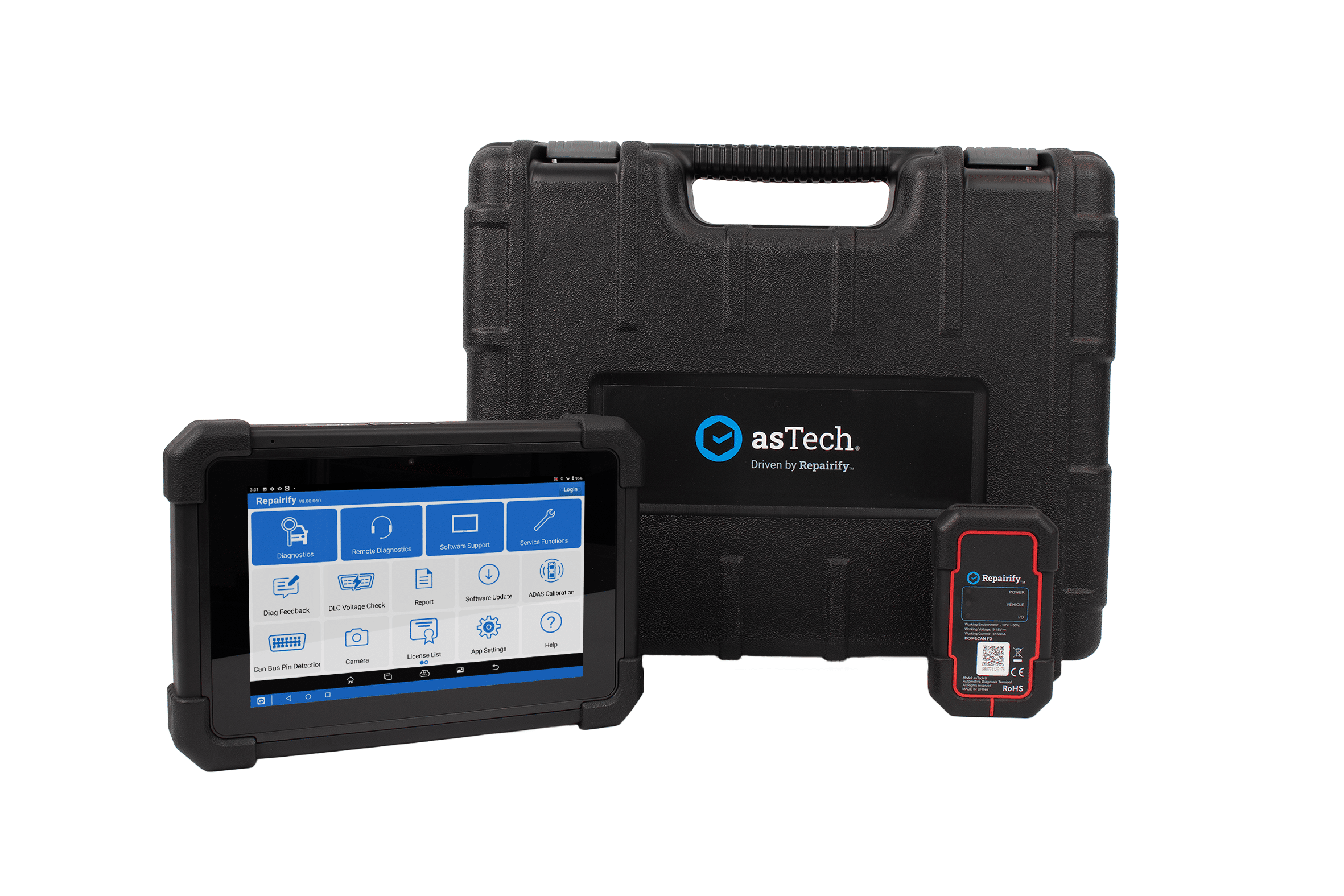
Speed up daily maintenance with lightning-fast, auto-VIN diagnostic scanning. Packed in a workshop-tough 8″ tablet, easily run complete health checks, clear fault codes, and reset service functions across 70+ vehicle makes.
Request A Quote
Get in touch with our team today to request a tailored, no-obligation quote designed around your workshop’s specific operational requirements.
Book A Demo
See our ADAS calibration tools and remote technology in action to discover how easily they integrate into your daily workshop workflow.
Key Features
Instant Auto-VIN Recognition
Automatically detects and identifies vehicle details across 70+ global manufacturers to load specific diagnostic software instantly.
Rugged 8" Tablet with Kickstand
Durable Android 10 tablet equipped with an integrated kickstand, rubberised bumpers, and Bluetooth DBSCARVII VCI for mobile workshop scanning.
Extensive Maintenance Reset Functions
Quickly perform essential service resets including battery registration, DPF regeneration, electronic parking brake (EPB), TPMS, and brake bleeding.
Comprehensive Health & DTC Reports
Generates clear, shareable health check reports displaying diagnostic trouble codes alongside plain-text descriptions and fix guidance.
Technical Specs
Display |
8″ touchscreen tablet display |
Resolution |
1280 x 800 pixels |
Operating System |
Android 10.0 |
Memory |
4 GB |
Connectivity |
Wi-Fi (802.11a/b/g/n/ac)/Bluetooth/USB Type A to Type C data cable Power adapter DBSCARVII |
Storage |
64 GB |
Components |
VCI interface VCI/OBD diagnostic cable |
Camera |
Front-facing 5.0 MP & Rear-facing 8.0 MP |
Benefits

Right Vehicle, First Time
Automatic VIN recognition for over 70 manufacturers loads the correct software by model and production year, increasing selection speed.

Fast, Stable Connectivity
Bluetooth-enabled VCI provides quicker, easier local diagnosis with a more stable and reliable connection.

Comprehensive Reporting
Detailed health check, pre- and post-scan reports with clearly displayed DTCs and links to third-party sites to establish fixes.
Supported Vehicles
Title Here
- Lorem Ipsum Dolor
- Lorem Ipsum Dolor
- Lorem Ipsum Dolor
- Lorem Ipsum Dolor
- Lorem Ipsum Dolor
Title Here
- Lorem Ipsum Dolor
- Lorem Ipsum Dolor
- Lorem Ipsum Dolor
- Lorem Ipsum Dolor
- Lorem Ipsum Dolor
Title Here
- Lorem Ipsum Dolor
- Lorem Ipsum Dolor
- Lorem Ipsum Dolor
- Lorem Ipsum Dolor
- Lorem Ipsum Dolor
Title Here
- Lorem Ipsum Dolor
- Lorem Ipsum Dolor
- Lorem Ipsum Dolor
- Lorem Ipsum Dolor
- Lorem Ipsum Dolor
Title Here
- Lorem Ipsum Dolor
- Lorem Ipsum Dolor
- Lorem Ipsum Dolor
- Lorem Ipsum Dolor
- Lorem Ipsum Dolor
Title Here
- Lorem Ipsum Dolor
- Lorem Ipsum Dolor
- Lorem Ipsum Dolor
- Lorem Ipsum Dolor
- Lorem Ipsum Dolor
Contact Us For Pricing
Ready to learn more? Contact us for pricing and find the right solution for your business.
Resources
Guides & Downloads
Access step-by-step technical instructions and practical tutorials to help your team easily set up, operate, and get the most out of your equipment.
Videos
Watch quick, step-by-step video walkthroughs to help your team master equipment setup, software workflows, and daily workshop operations.
FAQs
Find quick answers to common questions about product compatibility, technical setup, and ongoing workshop support.
